 Relay
Screens Quotes and the quote email
Quotes and the quote email
Every carrier's result in one place, and the email you send the client.
Open any card in Ready to deliver.
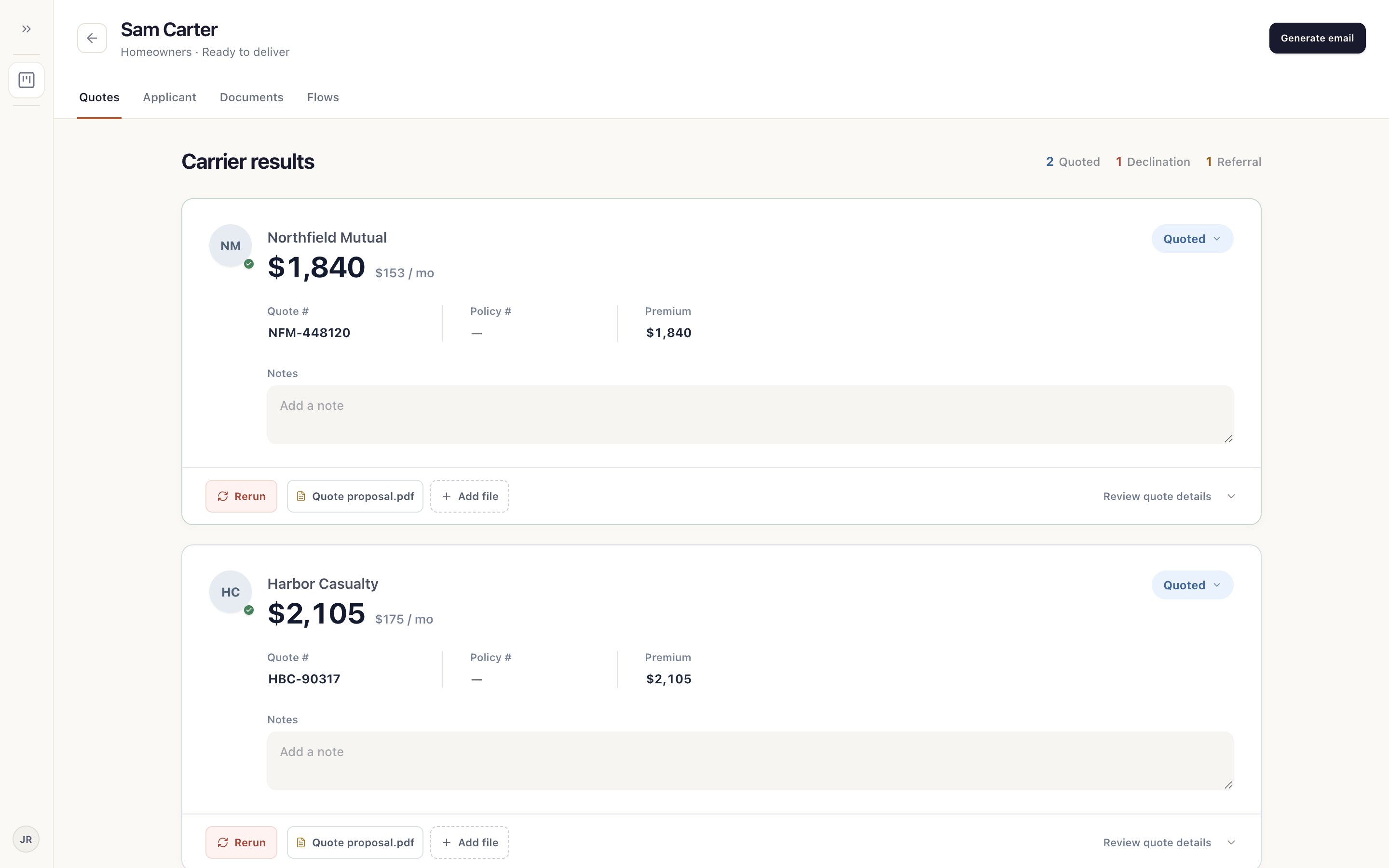
- Counts
How many carriers quoted, declined or referred.
- Result
Premium, quote number and notes. Change anything that's off.
- Rerun
Send Relay back to this carrier.
- Generate email
Draft the client email from these results. Send the email