 Relay
Guides Results
Review results and send the email
See every carrier's result together, fix anything off, and send the client a quote email.
Step 1: Open the results
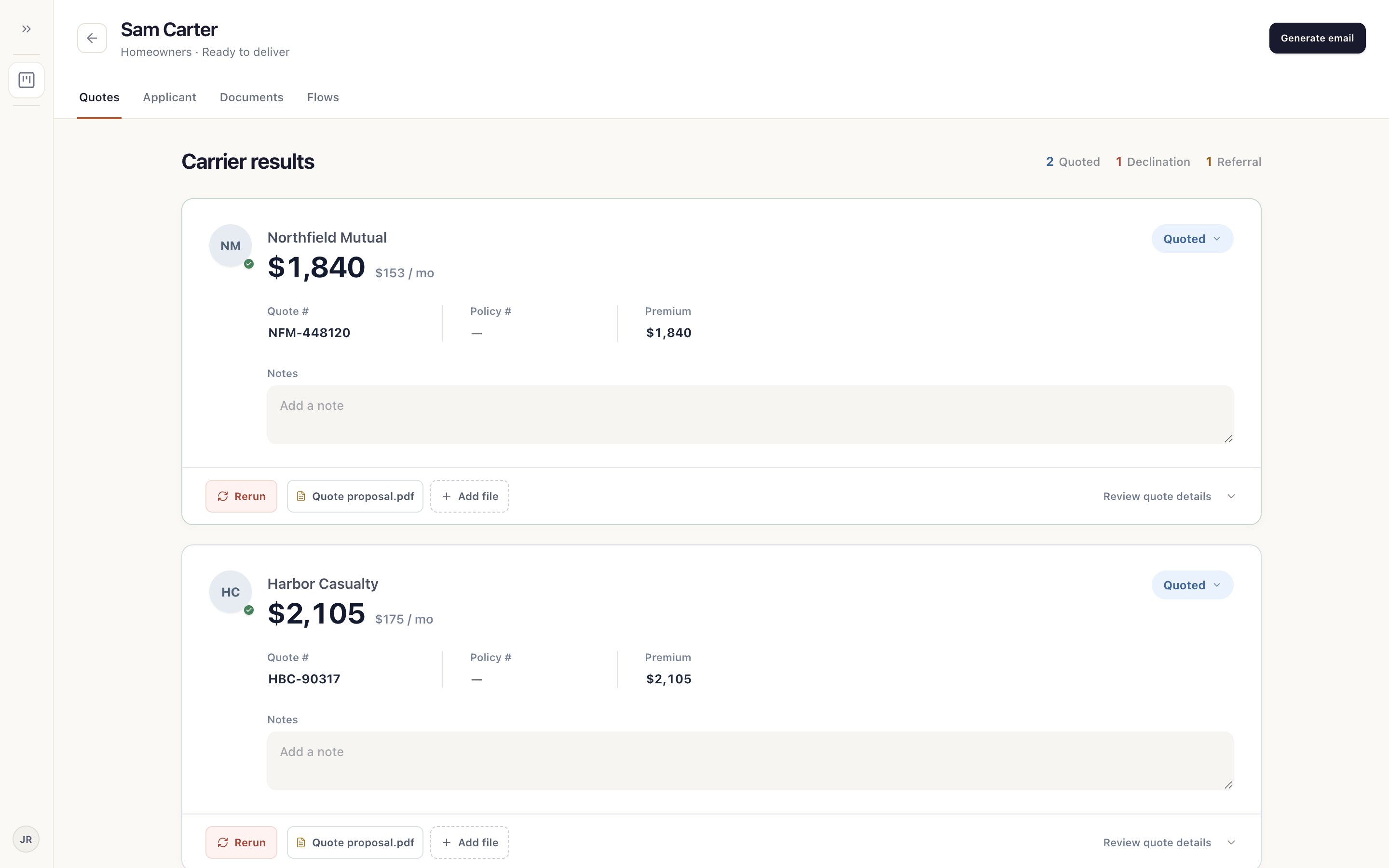
Open the card in Ready to deliver. Quotes 1 lists each carrier with its outcome, premium and quote number 2. The counts at the top 3 show how many quoted, declined or referred.
Step 2: Fix anything that's off
Change a result's details or add a note right on its card. Open the carrier's proposal 1 or Add file for one you downloaded yourself.
Choose Rerun 2 to send Relay back to that carrier.
Step 3: Generate the email
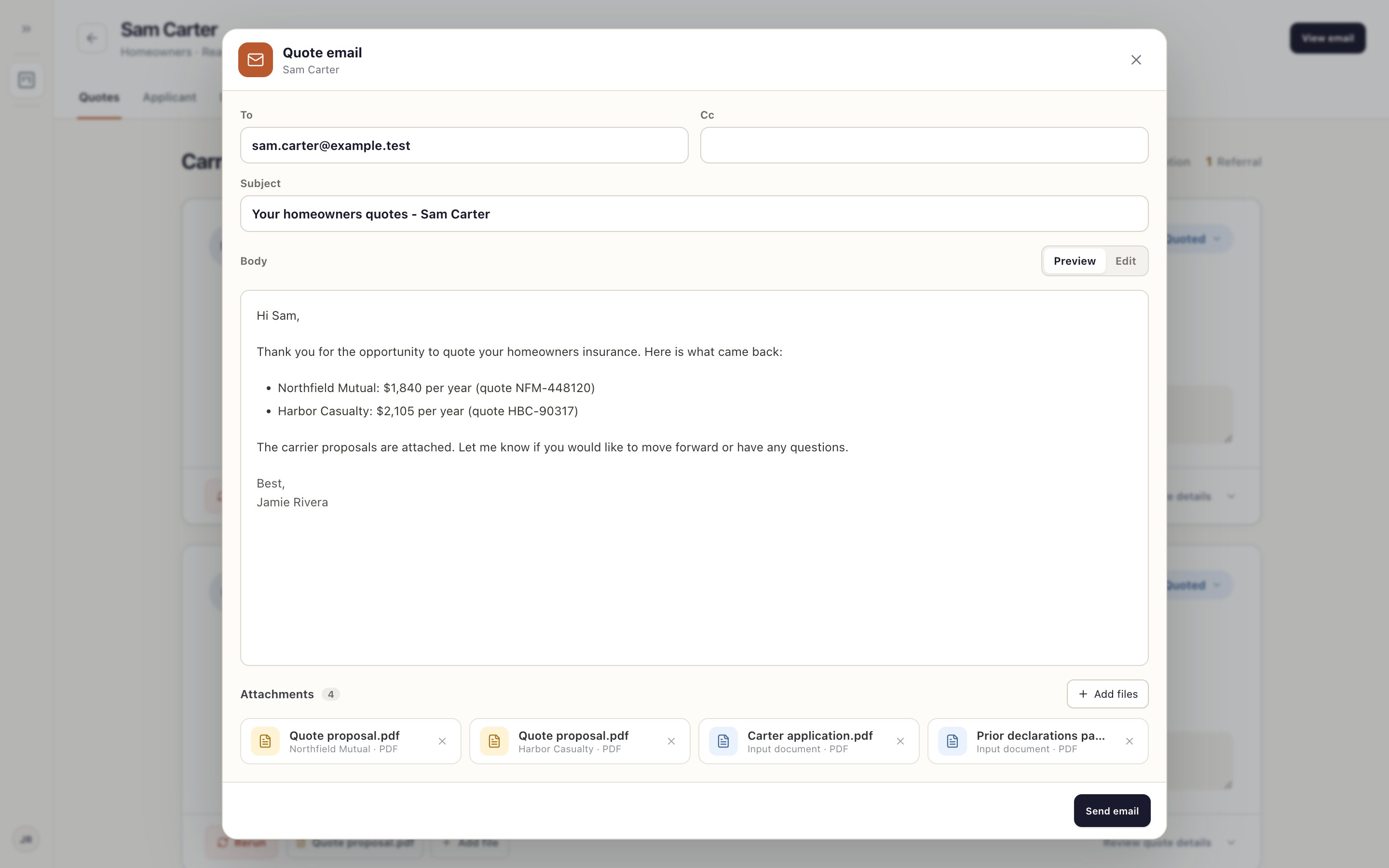
Choose Generate email at the top right. Relay drafts it from the results you're including.
Check the recipients 1 and subject 2, read the body 3, and remove any attachment you don't want to send 4. Use Edit to change the wording.
Step 4: Send it
Choose Send email when it's ready. You can keep working while it sends.
Relay never sends anything to a client on its own. Check every premium and attachment before you send.
Something not working?
A carrier result is missing its PDF.
Not every carrier offers a proposal to download. Get it from the carrier's site and use Add file.