 Relay
Guides Quote
Review the application
Check what Relay read against your documents. Know what actually has to be filled before you run.
Step 1: Switch between Summary, Review and All
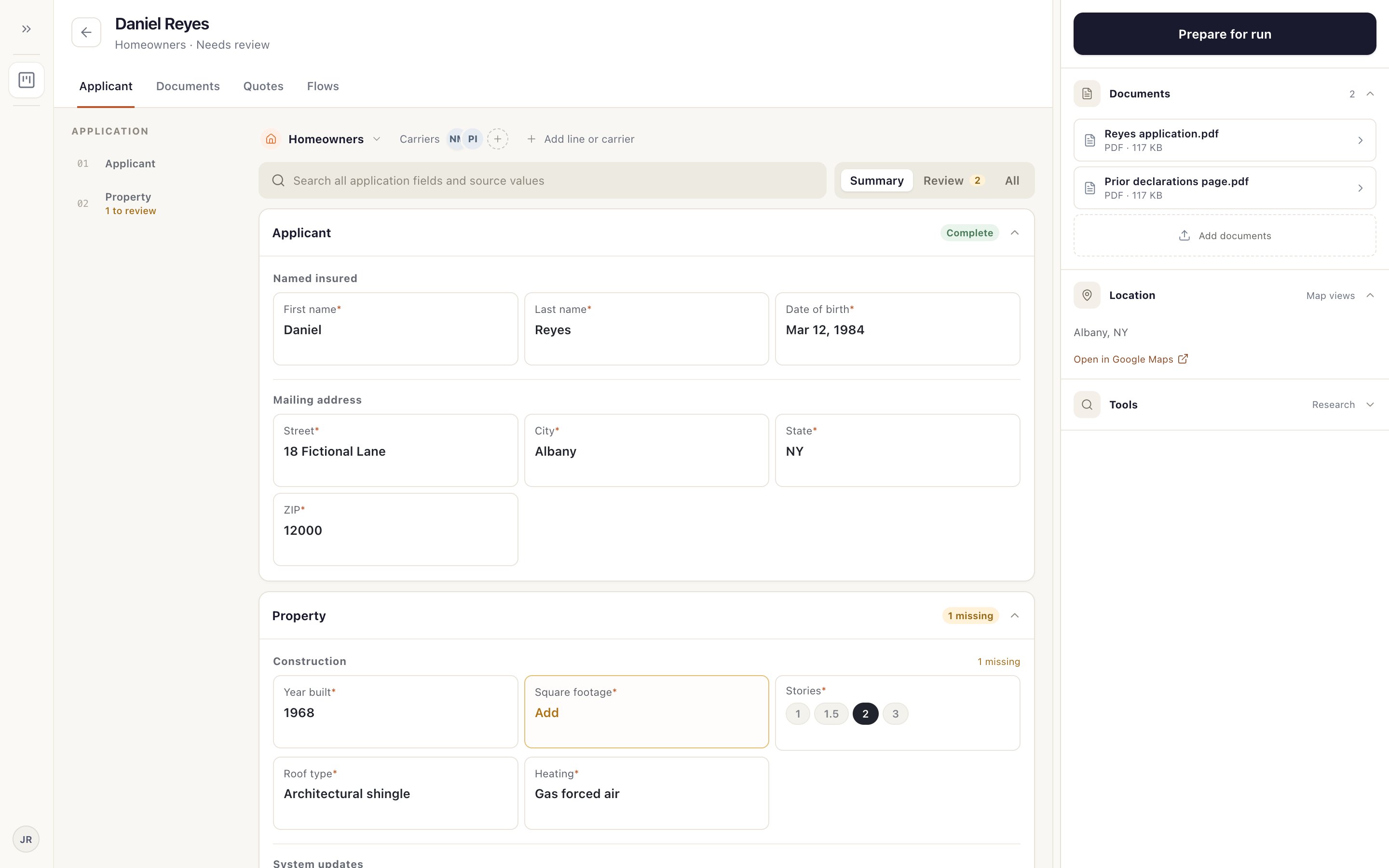
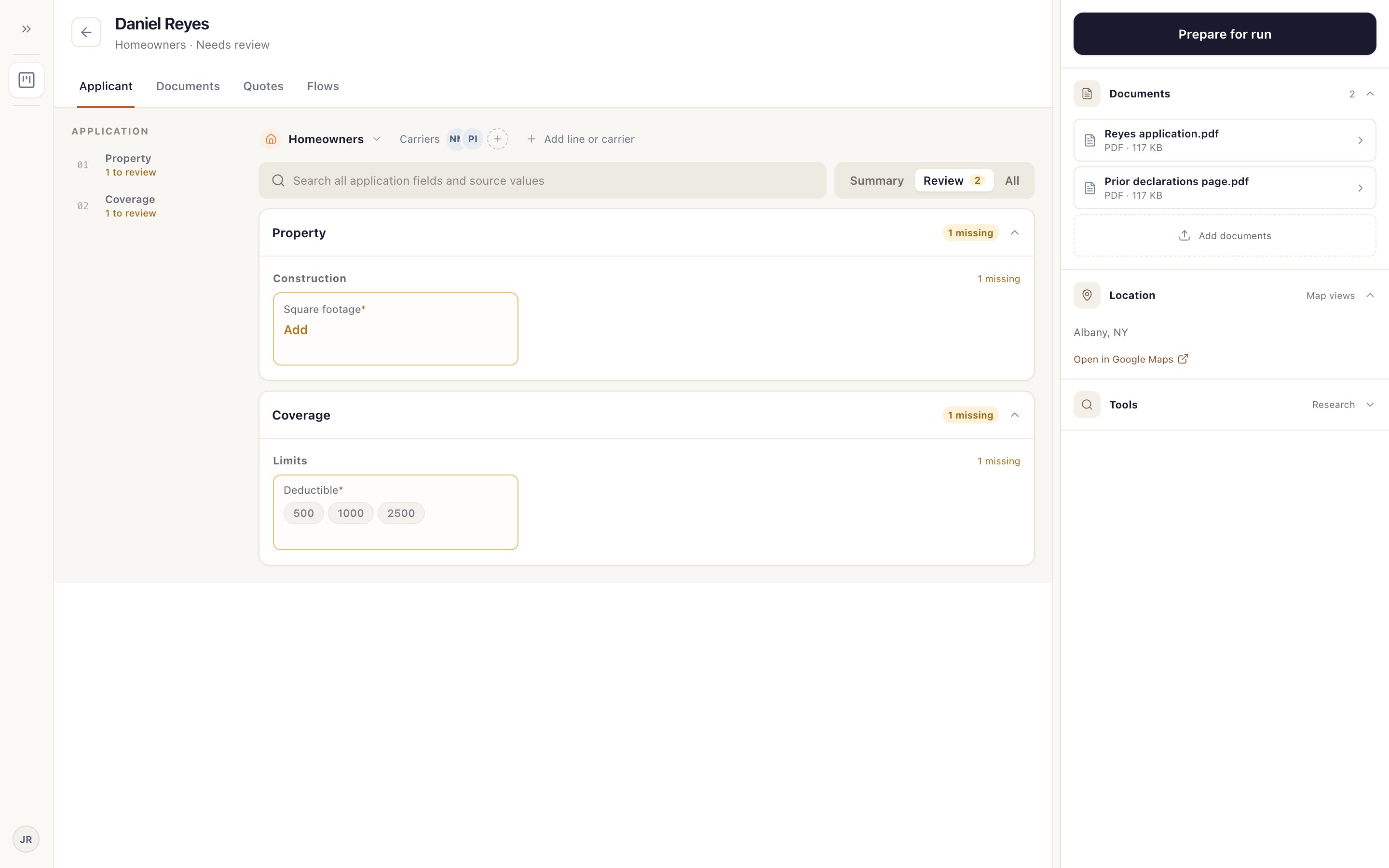
Summary 1 shows the key fields for each line. Review 2 shows only what still needs a value, with a count. All 3 shows everything Relay has.
Search 4 finds any field or value from your documents.
Step 2: Compare with your documents
Your documents are on the right 1. Open one to read it beside the fields. Click a field to correct it. Your changes save as you go.
The outline on the left 2 shows how many fields each section still has to review.
Step 3: Know what actually stops a run
A star (*) marks a field carriers usually ask for. An empty starred field 1 and a Review count above zero 2 don't stop you from preparing and running the quote. If a carrier needs the value, the run pauses and asks you.
What does stop you: no line of business, no carrier, nothing usable read for the line, or a conflict Relay asks you to resolve.
Leave a field blank if the application doesn't say. Don't guess; ask the client. Relay enters what's on the application into carrier sites.
Step 4: Seeing the same field twice?
When a quote covers more than one line, a field can appear under each line. Fill it where it applies to that line.
Something not working?
Relay read a value wrong.
Click the field and correct it. Relay uses your value from then on.
Parsing finished, but no required fields were filled.
Check that the right documents are attached and the right coverage is selected, then read them again.