 Relay
Guides Quote
Choose how your quotes run
Decide when Relay stops to ask you, and whether it saves carrier proposals.
Step 1: Choose a quote runtime mode
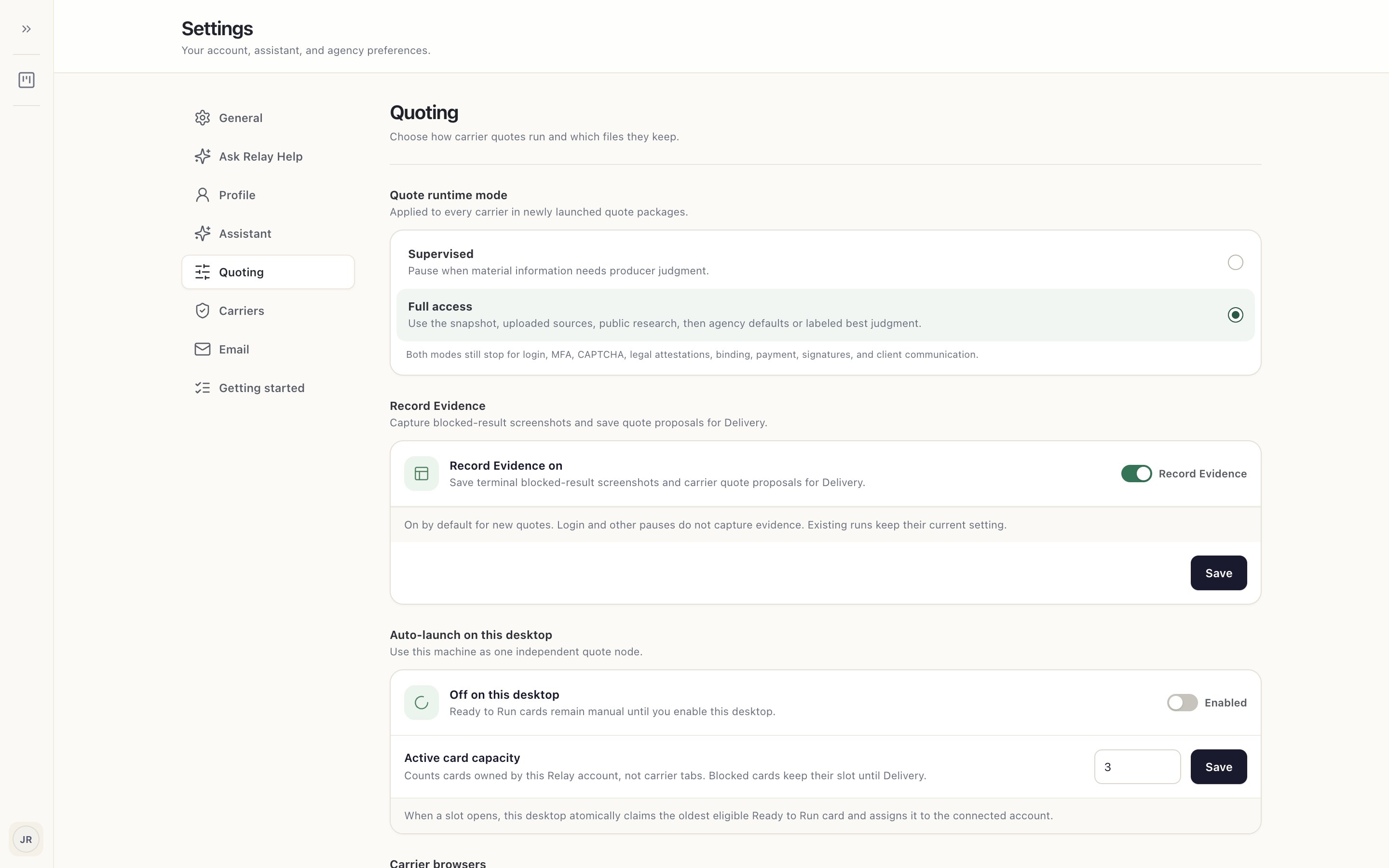
Open your account menu › Settings › Quoting. Under Quote runtime mode 1, Supervised pauses when material information needs your judgment. Full access fills gaps from the application, your uploaded documents, public research, then agency defaults or a labeled best judgment.
Both modes still stop for sign-ins, MFA, CAPTCHAs, legal attestations, binding, payment, signatures and anything sent to a client.
Step 2: Keep carrier proposals
With Record Evidence 1 on, Relay saves the carrier's quote proposal for Delivery when one is available, and a screenshot when a carrier result is blocked. It never captures sign-in, MFA or other pauses.
Step 3: When changes apply
Changes apply to new quote runs. Runs that have already started keep their settings.