 Relay
Guides Quote
Start a quote
Bring in an application or a client name, then choose the coverage and carriers.
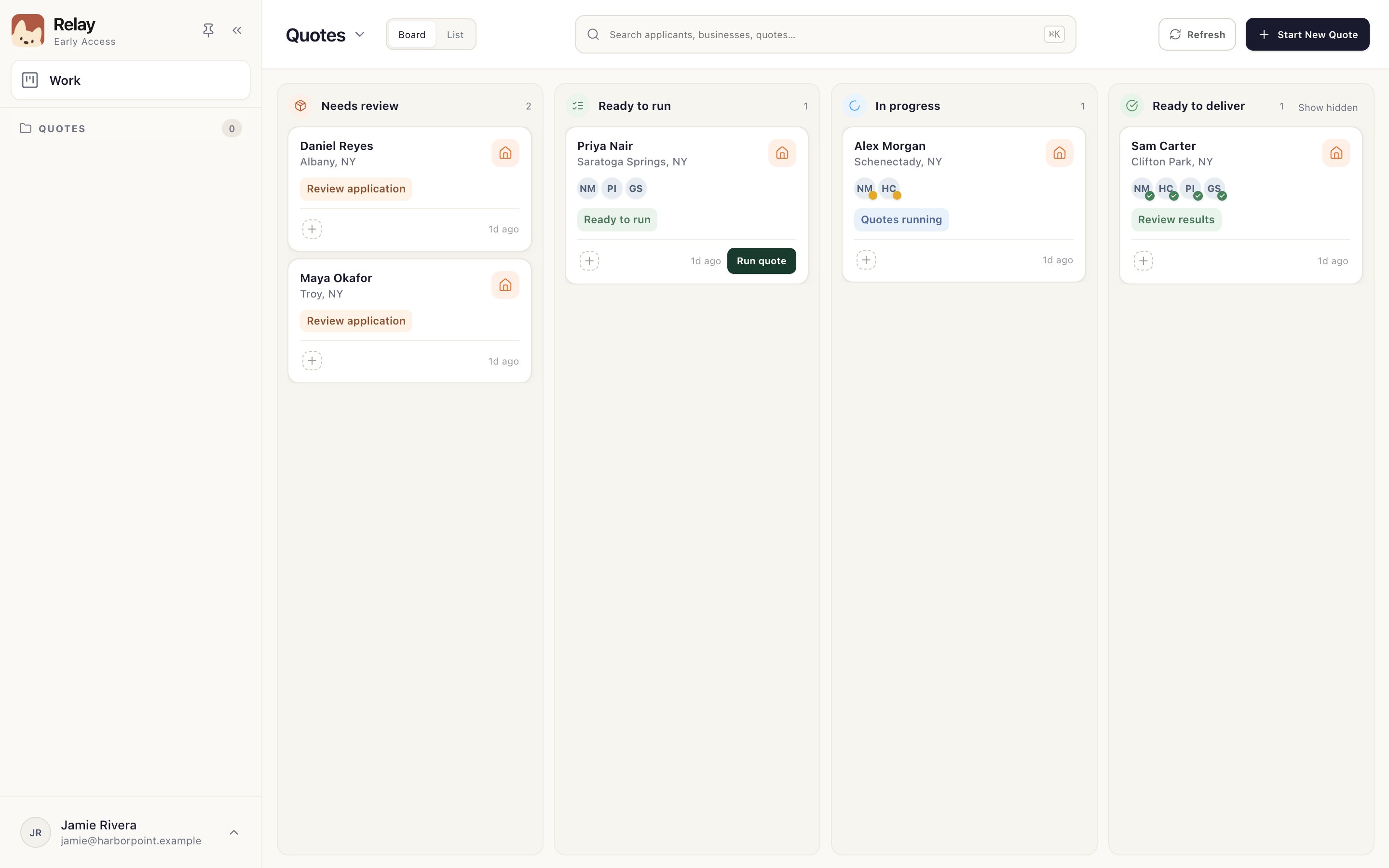
Step 1: Choose Start New Quote
On the Work board, choose Start New Quote 1 at the top right.
Step 2: Add documents or a name
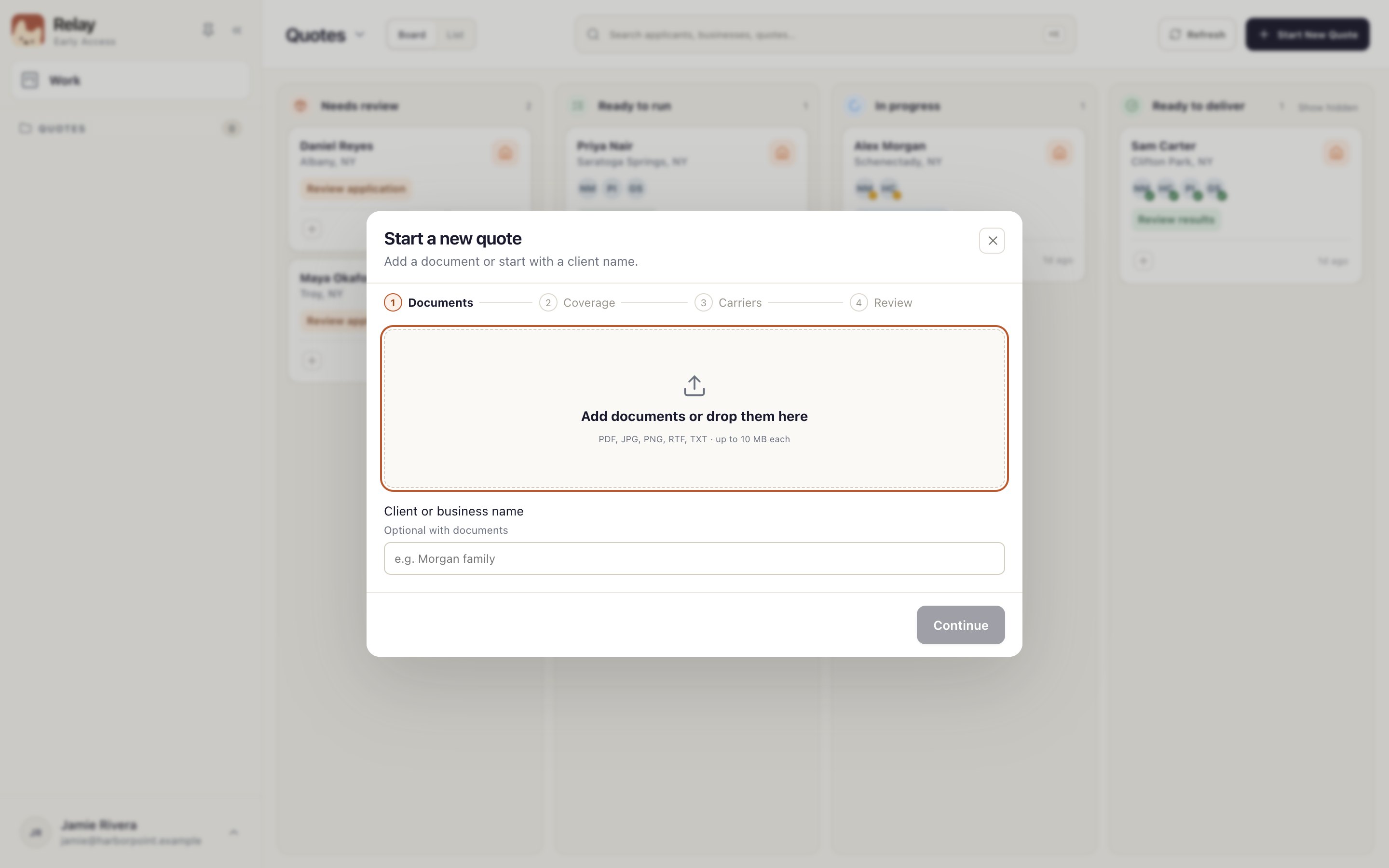
Drop in the application and anything else you have, like prior declarations 1. PDF, JPG, PNG, RTF and TXT files up to 10 MB each work.
No document yet? Type the client or business name 2 instead. You can add documents later from Documents.
Step 3: Choose coverage and carriers
Choose Continue, pick the coverage the client needs, then the carriers to quote. On the last step, choose Read and open review (or Create and open review if you didn't add documents).
Relay reads your documents and opens the application for review. The card sits in Needs review; no carrier has been contacted.
Something not working?
The coverage I need isn't offered.
Relay only offers lines your agency has set up. Ask your agency administrator.