 Relay
Screens The Work board
The Work board
Every quote is a card. Cards move left to right as the quote moves along.
Choose Work at the top of the sidebar.
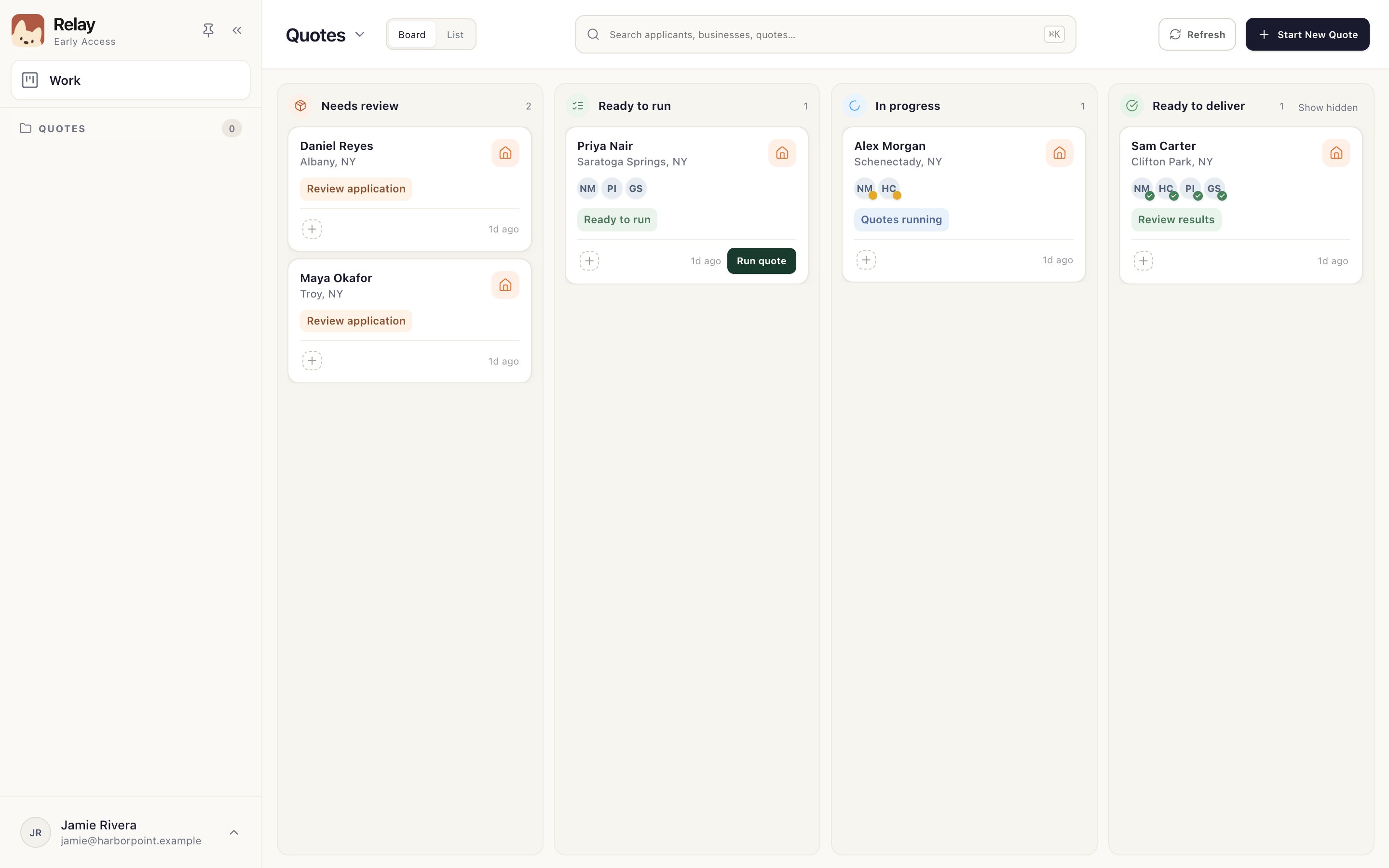
- Start New Quote
Bring in an application or a client name. Start a quote
- Needs review
New applications. Check what Relay read before anything goes to a carrier. Review the application
- Ready to run
Prepared and waiting for you to choose Run quote. Prepare and run a quote
- In progress
Relay is working the carrier sites. Open the card to follow along. Follow a running quote
- Ready to deliver
Every carrier has finished. Review the results and send the email. Review results and send the email
- Your account
Settings, Help & training and sign out.
Good to know
- Search at the top finds applicants, businesses and quotes.