 Relay
Guides Quote
Follow a running quote
Watch each carrier in the quote chat and see which ones need you.
Step 1: Open the quote chat
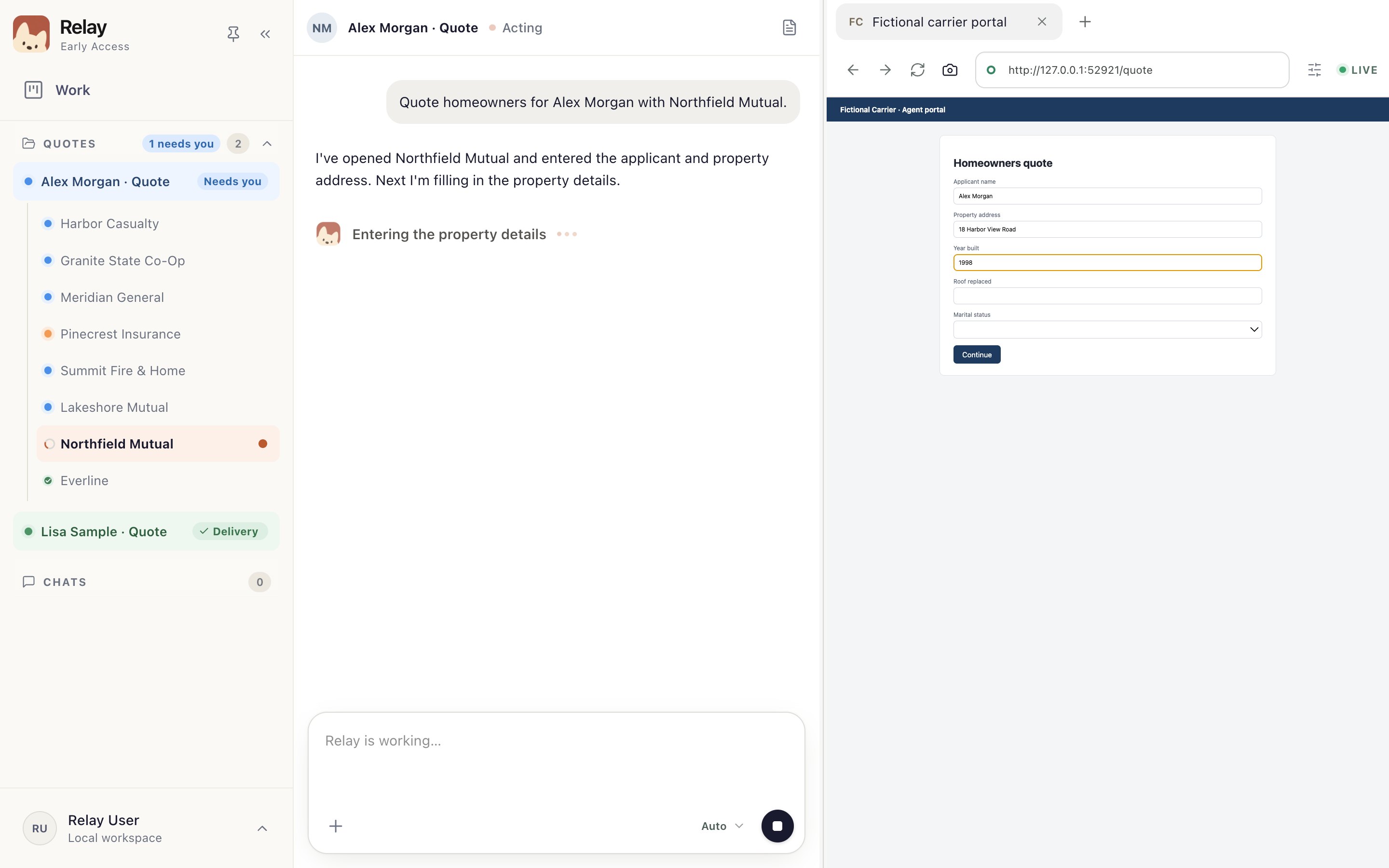
Choose Open quote chat on the card, or pick the quote under Quotes in the sidebar 1. Each carrier is listed under it 2.
The chat 3 says what Relay is doing on that carrier. The carrier's own website is on the right 4.
Step 2: Switch between carriers
Carriers run side by side. Choose another carrier in the sidebar to see its chat and website. A carrier marked Needs you is waiting for you; see When a carrier needs you.
Step 3: If you restarted Relay
Open the quote and choose Restore browser on the saved run, then continue where it left off.