 Relay
Guides Results
Approve carrier results
Check each carrier's result in the chat, then send it to Delivery or ask for changes.
Step 1: Check the result
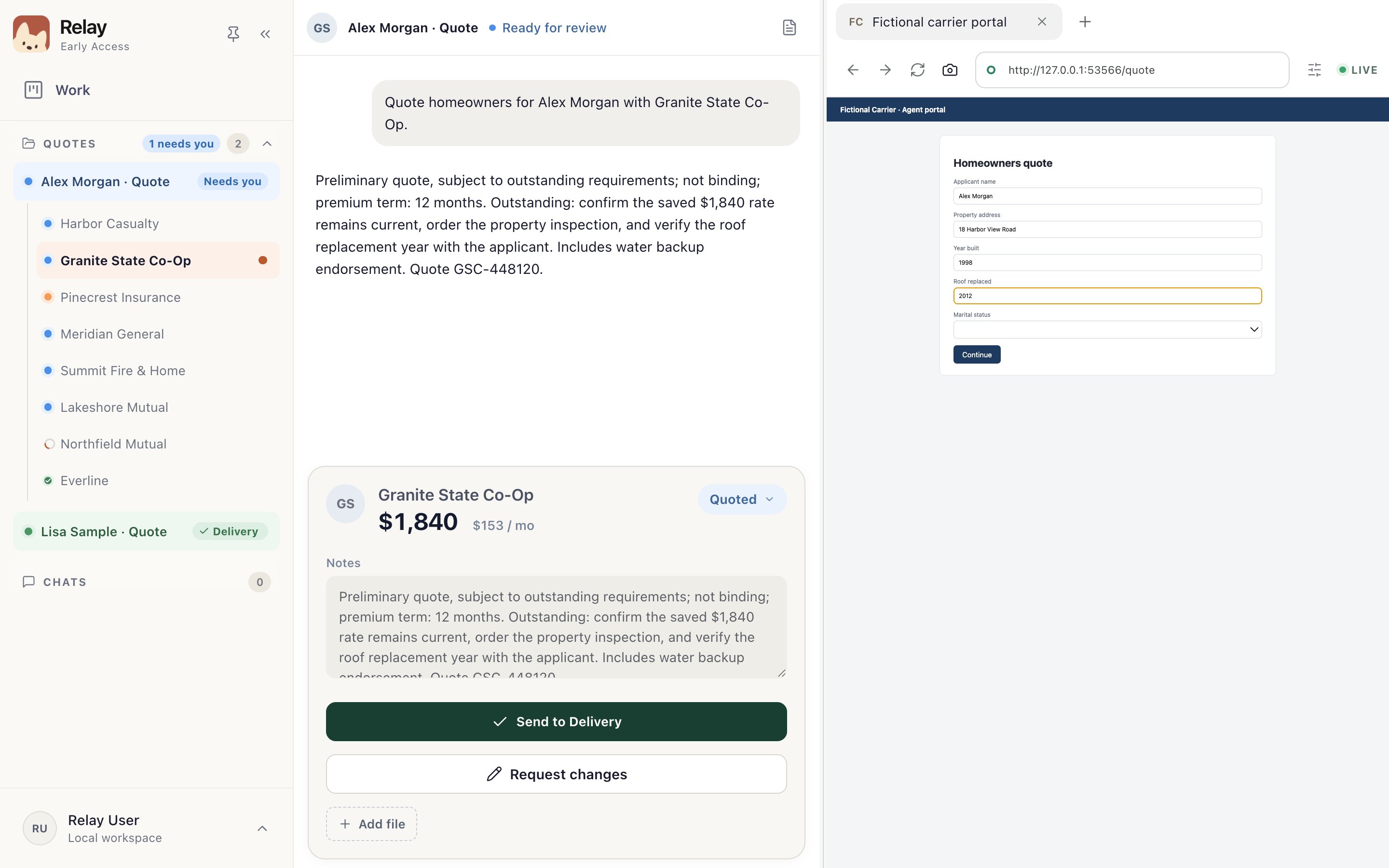
When a carrier finishes, it shows Ready for review. Open it. The result card shows the outcome, the premium and Relay's notes 1.
Compare them with the carrier's page on the right 2 before you approve. You can change the outcome and notes here, and Add file if you have the carrier's proposal.
Step 2: Send it to Delivery, or request changes
If it's right, choose Send to Delivery 1. If something's wrong or missing, open Request changes 2, describe what needs to change and choose Send correction. Relay makes the correction and returns a new result for you to review.
Once every carrier is done, the card moves to Ready to deliver.