 Relay
Screens The quote chat
The quote chat
Where you watch each carrier being worked and step in when one needs you.
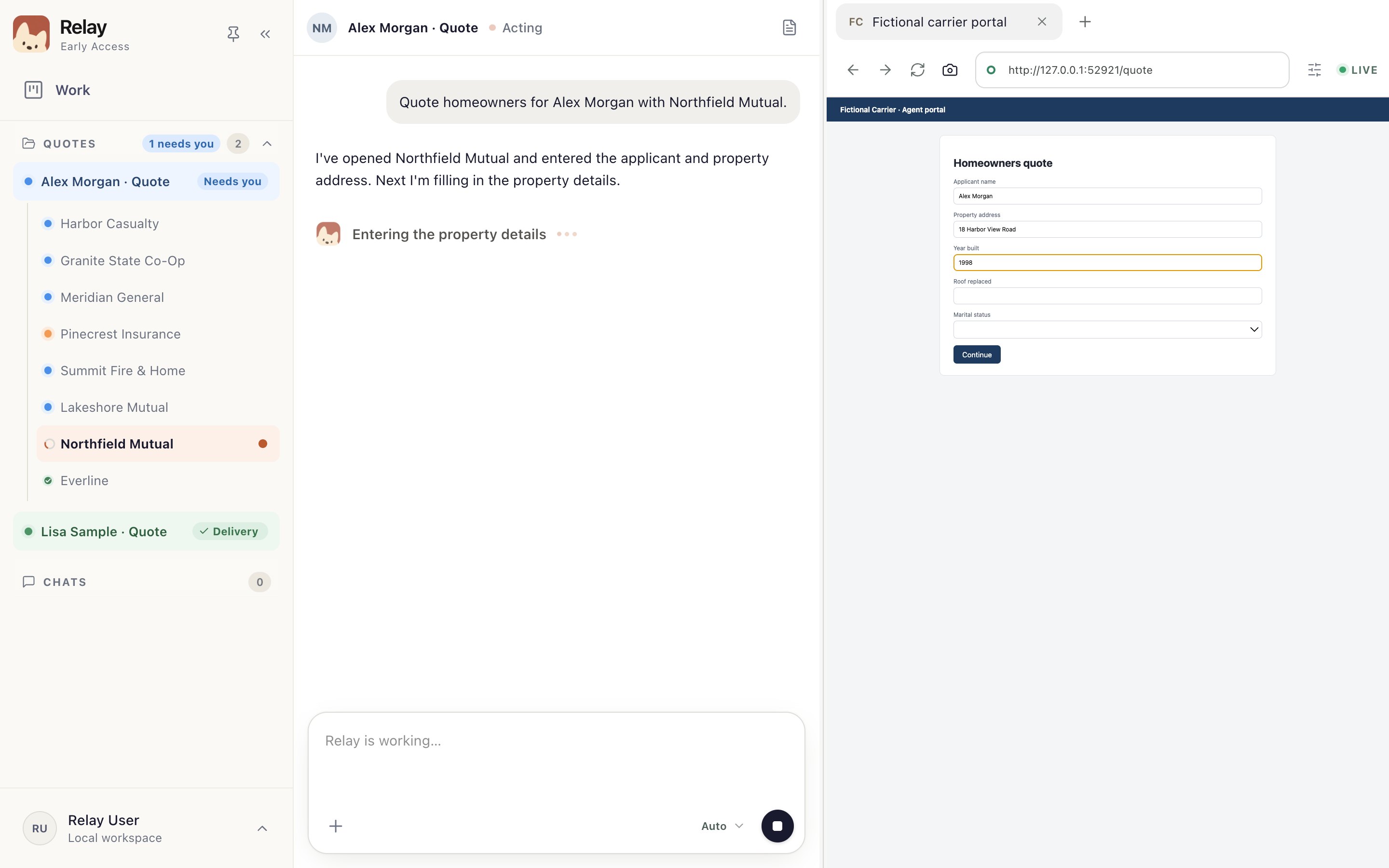
Choose Open quote chat on an In progress card, or pick the quote under Quotes in the sidebar.
- Needs you
A carrier is waiting for you. When a carrier needs you
- Carriers
One entry per carrier. Choose one to see its chat and website.
- Chat
What Relay is doing on this carrier, and anything it needs from you.
- Carrier website
The carrier's own site, in Relay's browser. Sign in here when asked.
- Message box
Ask about the step Relay is on.
Good to know
- Carriers run side by side, so you can deal with one while the others carry on.
Guides for this screen
- Follow a running quote Watch each carrier in the quote chat and see which ones need you.
- When a carrier needs you Sign in, answer a question, or find out why a carrier paused, then let Relay carry on.
- Approve carrier results Check each carrier's result in the chat, then send it to Delivery or ask for changes.